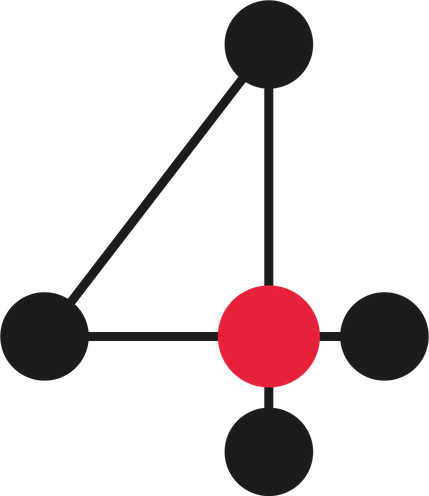

Rule
The fastest and cheapest way. No model, no waiting.
- When
- The case is clear.
- Example
- A received payment is recorded, a stock movement is booked.
Every department is a module on top of a shared core, and AI agents do the routine work. You approve what matters. This is all of WE4: how it works, what it does and where its limits are.
Until now, people held companies together. Someone retyped from email into a spreadsheet, from the spreadsheet into an invoice and from the invoice into accounting. Every system holds a piece of the truth and a person runs between them like a postman.
Sales promises a date, the warehouse doesn’t know and accounting finds out from the invoice. Only the owner knows who promised what and who owes whom. When they go on holiday, the company stops.
WE4 makes that connection for you. The tools you already use become one whole that reads, decides and takes work all the way to the end. You don’t want another tool. You want it to work.
 Web 2.0 presented. Web 3.0 speculated. Web 4.0 works.Petr Andrýsek, founder of WE4
All of them share one core. A message passes from top to bottom and ends as finished work or a question for a person.
Email, e-shop, forms, webhooks, bank, calendar, accounting. WE4 connects to what you have. It usually starts with a mailbox; another system takes a few steps.
Recognises what it is: enquiry, order, complaint, question, payment, spam. No fixed rules like “this mailbox is for enquiries”. It hands the item to the right module.
The company’s shared memory: contacts, orders, quotes, invoices, payments, documents, history, brand and consents. It owns all the data; modules read and write only through it.
The company’s departments: Sales, Warehouse, Finance, Support… Each takes what belongs to it and decides how to handle it. Switching one off doesn’t stop another.
Approve what the machine proposes or step in when something is stuck. They see the result in their overview.
Writes that they want to buy with delivery tomorrow.
Recognises an order, not an enquiry, and hands it to Orders.
Warehouse checks stock and reserves the items. Shipping creates the parcel.
Invoicing issues an invoice with a QR payment and Finance watches the due date.
The customer gets a confirmation in your tone. You see in the log what happened and why.
Everything stays in one trail in the core, so you can always find out who did what and why.
The fastest and cheapest way. No model, no waiting.
Tracks steps that take days. Survives an outage and continues where it left off.
Uses the company’s tools and knows your brand, deadlines and complaint rules.
Every module has a shadow mode: it shows what it would do and does nothing. Modules don’t know industries. “Customer”, “order” and “item” mean the same for a salon and a repair shop.
Reads mailboxes, sorts messages, links them to the customer and order and drafts a reply in your tone. Searches history by meaning, not just words.
BringsEvery message has an owner and a status.
Understands what the customer wants, takes items from your catalogue, builds a quote, sends it after approval and follows up.
BringsFaster replies, more closed deals.
Takes a complaint, checks the claim against your rules, watches deadlines and proposes a solution. Keeps the history of the whole case.
BringsNo missed deadline.
Watches the calendar and capacity, offers slots, sends reminders and handles no-shows.
BringsA fuller calendar, fewer calls.
Tracks order status, work reports, material use and handover. Follows from the purchase order, so nothing is entered twice.
BringsAccurate data for invoicing.
Tracks stock, movements, reservations and stocktaking. When stock drops below minimum, it drafts a purchase order.
BringsLess money tied up in stock, no missed orders.
Sends enquiries to suppliers, compares offers, receives invoices and incoming goods.
BringsAn overview of what is on its way and from whom.
Creates labels, tracks parcels, handles returns and plans deliveries. The customer gets a tracking link automatically.
BringsFewer “where is my parcel” questions.
Issues invoices with PDF and QR payment, matches bank payments and sends reminders. The invoice is created from the order.
BringsThe invoice leaves on the day of delivery.
Cash flow, overdue overview, VAT data and a morning summary for the owner.
BringsDecisions based on numbers, not gut feeling.
Connects to your accounting software. Documents are handed over automatically and every change is traceable.
BringsNothing left for the accountant to retype.
Contract templates and generation, e-signature, document intake with text recognition and an archive that watches deadlines.
BringsContracts in one place and under control.
Hiring, shifts, attendance, holidays and payroll data. Employee records live in one place.
BringsFewer payroll mistakes.
Turns a photo or a note from the shop floor into a post in your tone, adds it to a campaign and measures whether it led to a paid invoice.
BringsCampaigns measured all the way to the invoice.
E-shop, bank, calendar, drive, carriers and other systems. Anything missing is linked through a generic connector.
BringsYou keep what you use.
Modules talk through the core. When an order is confirmed, Invoicing issues the invoice and Warehouse reserves the goods. Switch a module off and you lose neither business history nor accounting, because they belong to the core.
WE4 doesn’t get freedom straight away. It earns it in small steps, based on results you measure.
The machine moves up only with enough unchanged proposals and few reversals.
No module moves up on its own.
A payment or a deletion always waits for your yes.
Replies to customers go out with a delay and you can hold them until then.
You set the discount cap and other limits. The system won’t exceed them even if a customer asks.
A module goes through your history and shows what it would do. It sends nothing and changes nothing.
Each company’s data is isolated directly in the database. WE4 staff have no silent access: only with a stated reason, for at most 4 hours, and your audit shows it.